$ tree
$ ls -a file_path # show hidden files
$ cd ~ # navigate to home directory
$ nano file # (create and) edit file; ctrl+O to save; ctrl+X to exit
$ touch file # create an empty file
$ mv path/file_1 path/file_2 # move or rename
$ cp file folder/
$ cp -r folder folder_copy # make a copy of the folder
$ rm -r folder
$ less file # display the file contents (screenful)
$ cat file # display the file contents
$ cut -f 2-5,8 -d , example.csv # display table file: column (field)2-5 and 8 with delimiter ','


# wildcards
# * matches zero or more characters in a filename
# ? matches any single character in a filename
# [...] matches any one of the characters inside the square brackets
# {...} matches any of the comma-separated patterns inside the curly brackets, so {*.txt, *.csv} matches any file whose name ends with .txt or .csv.
# *[AB].txtcut -d, -f 2 animals.txt | sort | uniq -c | wc -l
Finding Things
finds lines in files, finds files themselves.
$ grep -h "string" *.format | sort -u # print all strings, example: grep -h "stimparfl" *.xpp | sort -u
$ grep -l "string" *.format # print all file names


# grep common parameters:
# -c: a count of matching lines rather than the lines themselves
# -i: ignore case (e.g., treat "Memory" and 'memory' as the same)
# -l: print the names of files that contain matches, not the matches
# -n: print line numbers for matching lines
#-v: invert selection, list not matched lines.


$ find . -type d # find things that are directories
$ find . -type f # find things that are files
$ find . -name "string" # find things that contain the strings in their file names
$ find . -name "*.txt"

$ wc -l $(find . -name "*.txt")
$ grep "FE" $(find .. -name "*.pdb")
Replace thing
#  Stream editor sed
$ sed 's/old_string/new_string/' beh_erp.csv
Pipes & Filters
$ wc file > counts.txt # count the number of lines, words, and characters in files and save it to a text file
$ wc -l file > line_counts.txt
$ sort -n file
$ echo hello > test01.txt  # overwrite during iterating
$ echo hello >> test02.txt  # append during iterating
$ first command | second command # a pipeline
Loops
for subj in subjA subjB subjC
do
	mkdir subjects/$subj
	cp $(grep -l "VP: $subj" *.xpp) subjects/$subj
done

for filename in *.dat
do
	echo cp $filename original-$filename
done

while dolist
do
	some commands
done
Conditions
if condition
then
	commands
elif condition2
then
	commands
else
	commands
fi
Bash scripts
$ bash bash_file.sh

# in bash scripts:
# $@ refers to all of a shell script’s command-line arguments
# $1, $2, etc., refer to the first command-line argument, the second command-line argument, etc.

# for variables:
$ a=sub
$ echo ${a}-01.txt

$ man command_to_check # read manual
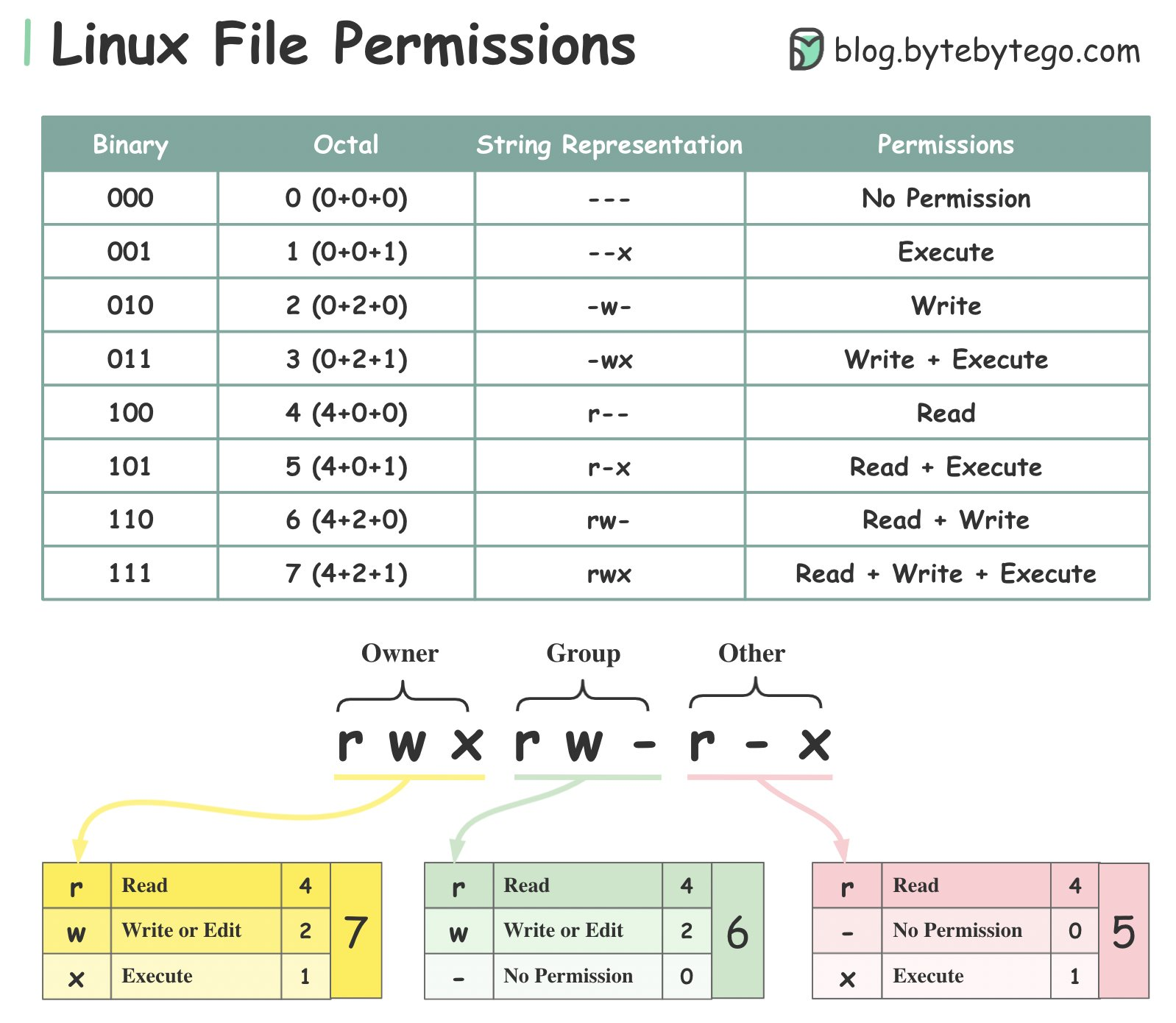
Permission and chmod
# change bash file permission to executable
# then no need for bash command before *.sh)
$ chmod 755 test.sh
$ ./test.sh
History
$ history
# ctrl+R: enters a history search mode ‘reverse-i-search’ and finds the most recent command in your history that matches the text you enter next
SSH
$ ssh-keygen -t rsa -C "youremail@email.com"

cd /.ssh
ls

id_rsa # private ssh key file
id_rsa.pub # public ssh key file
scp -R # ssh copy with subfolders